Homeowner 3D
A little challenge. A lot of fun.
Free to play · Mouse or touch
Homeowner 3D
Arcade · Mouse & touch · 0 plays
 Flufflings: Pocket Pets6
 Piece of Cake: Merge & Bake3
 TB World1
 Hedgies
 Idol Livestream: Doll Dress Up
 Steal An Egg - Grow Animals
 My Town Home: Family Playhouse
 Backgammon
 Solitaire The Collection
 Moto X3M3
 Toolbox Sort3
 Geometry Vibes 3D2
How to play
🏠 Welcome to Homeowner 3D! Take on jobs, turn run-down houses into cozy homes and build your own property empire! 🎮 Controls 🖥️ FOR PC 🚶 WASD — walk, Shift — run, mouse — look around 🧹 Hold LMB — clean up trash and take apart old furniture 🚪 E — doors, laptop, van 🧰 F — tools, Tab — tablet with the catalog 🛋️ Furniture: Q/E or mouse wheel — rotate, LMB — place 📱 FOR PHONE 🕹️ Joystick at the bottom left — walk 👆 Swipe the screen — look around ✋ Action button at the bottom right (hold) — clean, take apart, open doors 🛒 Cart at the top left — furniture catalog 🧰 Tools — mop, roller, wall finish, flooring 🛋️ Furniture: arrows — rotate, tick — place ✨ How to play 💻 Pick a job on the laptop and drive there in your van 🗑️ Clear the trash, mop the puddles, mow the lawn 🎨 Paint walls, hang wallpaper, lay tiles and floors 👻 Arrange furniture the way the owner wants it 📸 Take photos of your work and get rated
About Homeowner 3D
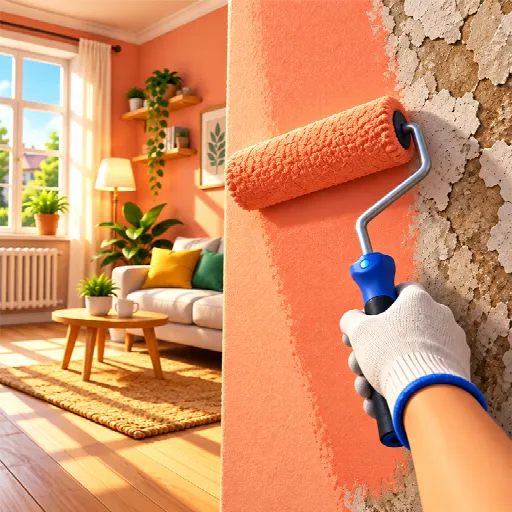
«Homeowner 3D» — a relaxing first-person cleaning, renovation, and home design simulator. Complete orders: clear out trash and dirt, wash surfaces, dismantle old items, paint walls, put up wallpaper, replace flooring, and arrange furniture. Earn money for your work, buy furniture, pets, and real estate, decorate your own home, and unlock new goals.
How to play
🏠 Welcome to Homeowner 3D! Take on jobs, turn run-down houses into cozy homes and build your own property empire! 🎮 Controls 🖥️ FOR PC 🚶 WASD — walk, Shift — run, mouse — look around 🧹 Hold LMB — clean up trash and take apart old furniture 🚪 E — doors, laptop, van 🧰 F — tools, Tab — tablet with the catalog 🛋️ Furniture: Q/E or mouse wheel — rotate, LMB — place 📱 FOR PHONE 🕹️ Joystick at the bottom left — walk 👆 Swipe the screen — look around ✋ Action button at the bottom right (hold) — clean, take apart, open doors 🛒 Cart at the top left — furniture catalog 🧰 Tools — mop, roller, wall finish, flooring 🛋️ Furniture: arrows — rotate, tick — place ✨ How to play 💻 Pick a job on the laptop and drive there in your van 🗑️ Clear the trash, mop the puddles, mow the lawn 🎨 Paint walls, hang wallpaper, lay tiles and floors 👻 Arrange furniture the way the owner wants it 📸 Take photos of your work and get rated
Open full-window playerQuick answers
Is Homeowner 3D free to play?
Yes. Homeowner 3D is free to play on MiniLoop. It runs in your browser, with nothing to install and no account needed to start.
How do I play Homeowner 3D?
🏠 Welcome to Homeowner 3D! Take on jobs, turn run-down houses into cozy homes and build your own property empire! 🎮 Controls 🖥️ FOR PC 🚶 WASD — walk, Shift — run, mouse — look around 🧹 Hold LMB — clean up trash and take apart old furniture 🚪 E — doors, laptop, van 🧰 F — tools, Tab — tablet with the catalog 🛋️ Furniture: Q/E or mouse wheel — rotate, LMB — place 📱 FOR PHONE 🕹️ Joystick at the bottom left — walk 👆 Swipe the screen — look around ✋ Action button at the bottom right (hold) — clean, take apart, open doors 🛒 Cart at the top left — furniture catalog 🧰 Tools — mop, roller, wall finish, flooring 🛋️ Furniture: arrows — rotate, tick — place ✨ How to play 💻 Pick a job on the laptop and drive there in your van 🗑️ Clear the trash, mop the puddles, mow the lawn 🎨 Paint walls, hang wallpaper, lay tiles and floors 👻 Arrange furniture the way the owner wants it 📸 Take photos of your work and get rated
Can I play Homeowner 3D on my phone?
Its publisher lists Homeowner 3D as mobile-friendly, so it should play on phones and tablets as well as on a computer.