Referee Simulator 3D
A little challenge. A lot of fun.
Free to play · Mouse or touch
Referee Simulator 3D
Sports · Mouse & touch · 0 plays
 Bus Simulator Game 20261
 Midnight Valet
 Rocket Car Football Championship
 Netherton Volleyball
 Euro Truck Parking
 Halloween Dentist For Kids 2
 ZARUVANE THE AMBER OASIS
 Halloween Football Championship
 Curve Free Kick
 Sorting Ball Quiz7
 Cake Sort6
 Trick Or Treat Candy Carnival3
How to play
Mobile Drag on the left side of the screen to run push all the way to sprint Tap the buttons to make your decision PC WASD or Arrow keys to move Shift to sprint mouse to choose decisions Esc to pause
About Referee Simulator 3D
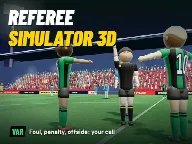
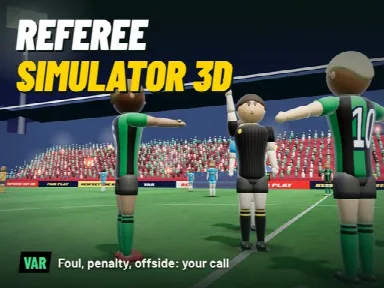
Referee Simulator 3D puts the whistle in your hands. Run with play, stay close to the action and make the calls that decide the match: foul or clean tackle, penalty or free kick, offside or goal, yellow or red card. Not sure? Sprint to the pitchside VAR monitor and review the incident from multiple camera angles in slow motion. Features: - 13 incident types: penalties, offsides, handballs, goal-line decisions, second yellows, elbows, corners, throw-ins and more - Real VAR reviews with offside lines and goal-line camera - Career mode: rise from the regional league to the Super League, derbies and international matches
How to play
Mobile Drag on the left side of the screen to run push all the way to sprint Tap the buttons to make your decision PC WASD or Arrow keys to move Shift to sprint mouse to choose decisions Esc to pause
Open full-window playerQuick answers
Is Referee Simulator 3D free to play?
Yes. Referee Simulator 3D is free to play on MiniLoop. It runs in your browser, with nothing to install and no account needed to start.
How do I play Referee Simulator 3D?
Mobile Drag on the left side of the screen to run push all the way to sprint Tap the buttons to make your decision PC WASD or Arrow keys to move Shift to sprint mouse to choose decisions Esc to pause
Can I play Referee Simulator 3D on my phone?
Its publisher lists Referee Simulator 3D as mobile-friendly, so it should play on phones and tablets as well as on a computer.