
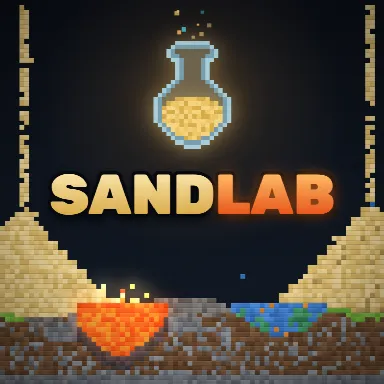
SandLab
A little challenge. A lot of fun.
Free to play · Mouse or touch
SandLab
Puzzle · Mouse & touch · 0 plays
 Piece of Cake: Merge & Bake3
 Toolbox Sort3
 Mahjong Classic1
 Hidden Object: Street Of Secrets1
 Hidden Object: Clues and Mysteries
 Hedgies
 Mahjong Lines
 Good Sort Master: Triple Match
 Steal An Egg - Grow Animals
 Flufflings: Pocket Pets6
 Moto X3M3
 Geometry Vibes 3D2
How to play
Mouse / touch: - Left click or tap and drag: draw with the selected material or tool - Right drag or Shift + drag: move the camera - Mouse wheel or pinch: zoom Keyboard: - Space: pause / play - . : step one frame (while paused) or speed up - , : slow down - Ctrl + Z: undo - [ and ]: smaller / bigger brush - + / - / 0: zoom in, zoom out, reset zoom - V: switch view (materials, temperature, flammability) - R: room settings - G: goals and reactions - M: sound on / off - Esc: close the open window
About SandLab
SandLab is a falling-sand physics sandbox with over 270 materials that react to each other on their own. Pour sand, flood it with water, drop lava into the lake and watch it hiss into steam and harden into stone. Acid eats through metal, current runs along wires, plants grow toward water, gunpowder goes boom. Set up the room the way you want: change the temperature from deep space cold to blazing heat, turn gravity down, off or upside down, add wind and speed up heat flow. Presets like Moon, Arctic, Inferno and Upside down are one click away. Discover all 199 reactions and fill your lab notebook. Short goals teach the basics and point you to new experiments: boil water, grow a plant, make glass, light a lamp, bake bread, forge bronze. Features: - 270+ materials: powders, liquids, gases, metals, chemicals, food, life and special elements like cloner, void and black hole - 199 reactions to discover, 20 goals - Room settings: temperature, gravity, wind, heat flow - Heat map and flammability views - Pause, step frame by frame, slow motion or 4x speed - Undo, zoom, three save slots plus autosave
How to play
Mouse / touch: - Left click or tap and drag: draw with the selected material or tool - Right drag or Shift + drag: move the camera - Mouse wheel or pinch: zoom Keyboard: - Space: pause / play - . : step one frame (while paused) or speed up - , : slow down - Ctrl + Z: undo - [ and ]: smaller / bigger brush - + / - / 0: zoom in, zoom out, reset zoom - V: switch view (materials, temperature, flammability) - R: room settings - G: goals and reactions - M: sound on / off - Esc: close the open window
Open full-window playerQuick answers
Is SandLab free to play?
Yes. SandLab is free to play on MiniLoop. It runs in your browser, with nothing to install and no account needed to start.
How do I play SandLab?
Mouse / touch: - Left click or tap and drag: draw with the selected material or tool - Right drag or Shift + drag: move the camera - Mouse wheel or pinch: zoom Keyboard: - Space: pause / play - . : step one frame (while paused) or speed up - , : slow down - Ctrl + Z: undo - [ and ]: smaller / bigger brush - + / - / 0: zoom in, zoom out, reset zoom - V: switch view (materials, temperature, flammability) - R: room settings - G: goals and reactions - M: sound on / off - Esc: close the open window
Can I play SandLab on my phone?
Its publisher lists SandLab as mobile-friendly, so it should play on phones and tablets as well as on a computer.