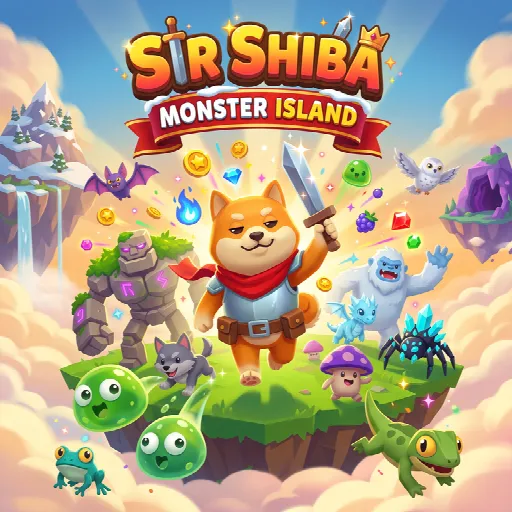
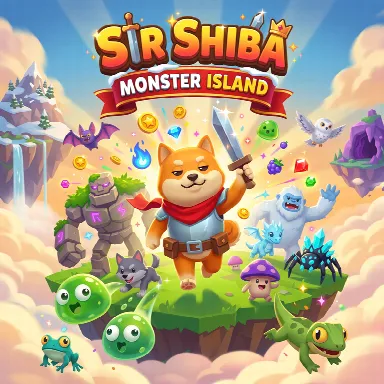
Sir Shiba: Monster Island
A little challenge. A lot of fun.
Free to play · Mouse or touch
Sir Shiba: Monster Island
Arcade · Mouse & touch · 0 plays
 Flufflings: Pocket Pets6
 Piece of Cake: Merge & Bake3
 TB World1
 Hedgies
 Idol Livestream: Doll Dress Up
 Steal An Egg - Grow Animals
 My Town Home: Family Playhouse
 Backgammon
 Solitaire The Collection
 Moto X3M3
 Toolbox Sort3
 Geometry Vibes 3D2
How to play
Grow your own monster island! Guide Sir Shiba, a brave little Shiba Inu knight, as he defeats cute monsters and collects their treasure. Sell the treasure at the market, spend your coins to unlock new land, hire hunters who work for you even while you are away, and buy upgrades at the Town Hall. Follow the goal at the top of the screen, raise your area level and explore all four worlds: the Island, the Mountain, the Cave and the Frost Peak. Desktop Controls: ↑ (Up Arrow) or W: Move upward. ↓ (Down Arrow) or S: Move downward. ← (Left Arrow) or A: Move left. → (Right Arrow) or D: Move right. Mouse: Click and drag anywhere to move; click the buttons to open menus. Attacking is automatic when a monster is close. Mobile Controls: Joystick: Touch and drag anywhere on the screen to move in any direction. Buttons: Tap the buttons on the left for the map, quests, wardrobe and daily gift, and ⚙️ at the top for settings. Buildings: Walk onto a building's mat to open its menu. Attacking is automatic when a monster is close.
About Sir Shiba: Monster Island
Sir Shiba: Monster Island is an idle-arcade game about a small Shiba Inu knight who clears monsters from a group of floating islands. The player only moves Sir Shiba around, and he attacks nearby monsters on his own. Each monster type drops its own kind of treasure, which can be sold at the market for coins. Coins are spent on unlocking new tiles of land, buying upgrades and hiring hunters, who keep defeating monsters and filling the storage even while the game is closed. The map grows step by step from the starting island to the mountain, an underground cave and a snowy peak, and each area brings new monsters, treasure and hunters. Order boards, daily gifts, quests, trophies and a wardrobe of outfits and costumes give longer-term goals alongside the main loop.
How to play
Grow your own monster island! Guide Sir Shiba, a brave little Shiba Inu knight, as he defeats cute monsters and collects their treasure. Sell the treasure at the market, spend your coins to unlock new land, hire hunters who work for you even while you are away, and buy upgrades at the Town Hall. Follow the goal at the top of the screen, raise your area level and explore all four worlds: the Island, the Mountain, the Cave and the Frost Peak. Desktop Controls: ↑ (Up Arrow) or W: Move upward. ↓ (Down Arrow) or S: Move downward. ← (Left Arrow) or A: Move left. → (Right Arrow) or D: Move right. Mouse: Click and drag anywhere to move; click the buttons to open menus. Attacking is automatic when a monster is close. Mobile Controls: Joystick: Touch and drag anywhere on the screen to move in any direction. Buttons: Tap the buttons on the left for the map, quests, wardrobe and daily gift, and ⚙️ at the top for settings. Buildings: Walk onto a building's mat to open its menu. Attacking is automatic when a monster is close.
Open full-window playerQuick answers
Is Sir Shiba: Monster Island free to play?
Yes. Sir Shiba: Monster Island is free to play on MiniLoop. It runs in your browser, with nothing to install and no account needed to start.
How do I play Sir Shiba: Monster Island?
Grow your own monster island! Guide Sir Shiba, a brave little Shiba Inu knight, as he defeats cute monsters and collects their treasure. Sell the treasure at the market, spend your coins to unlock new land, hire hunters who work for you even while you are away, and buy upgrades at the Town Hall. Follow the goal at the top of the screen, raise your area level and explore all four worlds: the Island, the Mountain, the Cave and the Frost Peak. Desktop Controls: ↑ (Up Arrow) or W: Move upward. ↓ (Down Arrow) or S: Move downward. ← (Left Arrow) or A: Move left. → (Right Arrow) or D: Move right. Mouse: Click and drag anywhere to move; click the buttons to open menus. Attacking is automatic when a monster is close. Mobile Controls: Joystick: Touch and drag anywhere on the screen to move in any direction. Buttons: Tap the buttons on the left for the map, quests, wardrobe and daily gift, and ⚙️ at the top for settings. Buildings: Walk onto a building's mat to open its menu. Attacking is automatic when a monster is close.
Can I play Sir Shiba: Monster Island on my phone?
Its publisher lists Sir Shiba: Monster Island as mobile-friendly, so it should play on phones and tablets as well as on a computer.